- DATE:
- AUTHOR:
- The Scribe team
Build any artifact, share it, and schedule updates
What's new
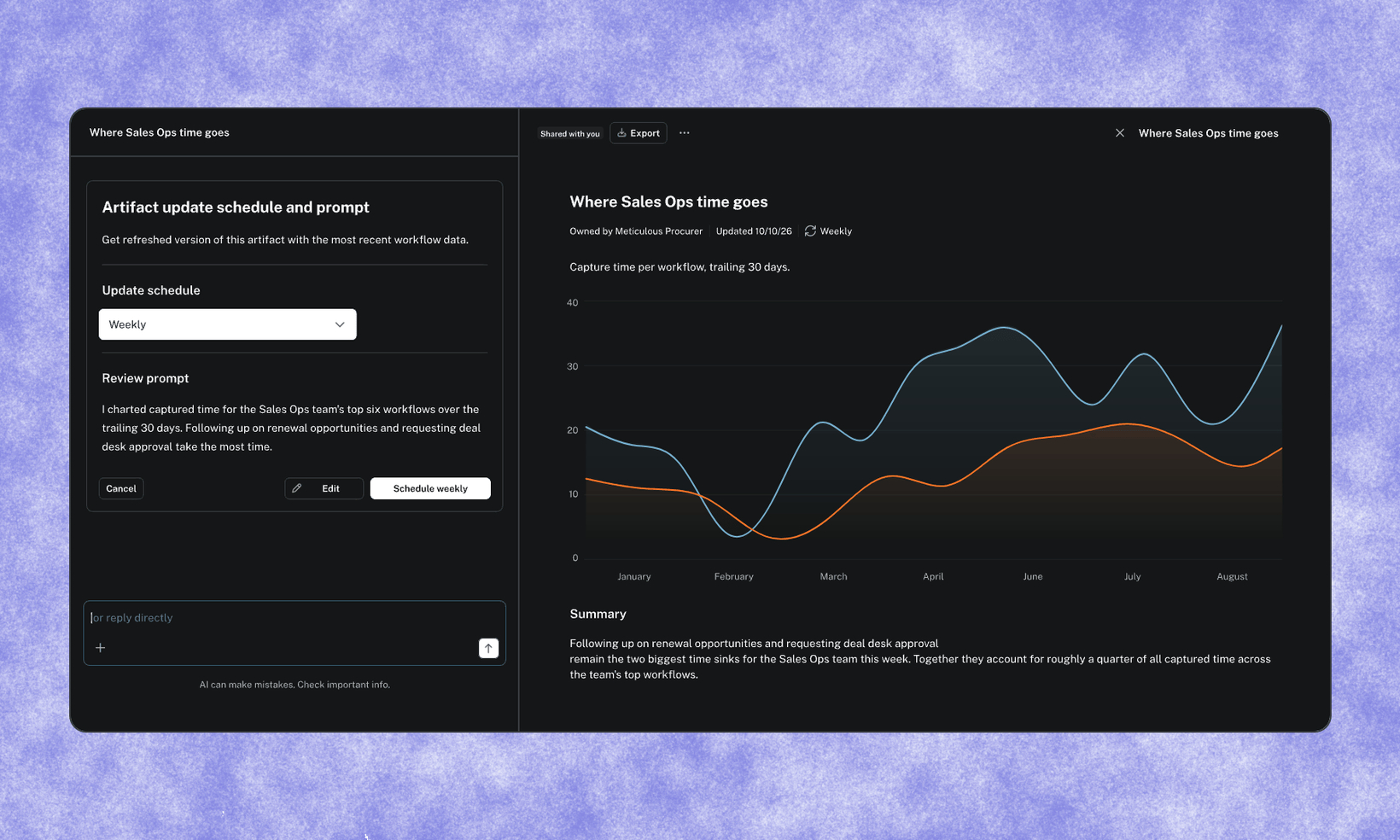
Artifacts are the shareable reports Optimize’s agent builds from how your team actually works. They used to be limited to process maps and one business case template. Now the agent can build charts, tables, documents, process maps, or a custom mix, and you can edit them yourself or ask the agent to change them.
You also choose who sees each artifact, and documents can update themselves on a schedule, so your reports stay current without anyone rebuilding them.
How it works
Create any artifact. Ask the agent in chat, select New artifact in the Artifacts library, or click a suggested artifact on a team page. Pick a preset (charts, tables, process maps, documents) or let the agent build a custom mix. Optimize also suggests artifacts based on the goals you’re working toward.
Edit in the canvas. Artifacts open side by side with the agent. Edit sections directly or ask the agent to revise, and every change is saved as a new version.
Share with the right people. Artifacts are private by default. Share with individuals, a whole team, or everyone in your Optimize org. Team-shared artifacts show up on that team’s page.
Keep documents current. Documents, including ones with embedded charts and process maps, can update weekly, every 2 weeks, monthly, or quarterly. Each run is saved as a new version, and the previous version moves into version history.
Find and manage everything in one place. The new Artifacts library has All, Yours, Shared with you, and Archived tabs, plus search, grid and list views, and live previews. Rename, duplicate, or archive artifacts, view version history, and export to DOCX, PDF, or Markdown.
FAQs
Q. Who can see my artifact?
A. Only you, by default. You can share it with specific people, a team, or everyone in your Optimize org.
Q. Where do shared artifacts show up?
A. Recipients see them under Shared with you. Artifacts shared with a team also appear on that team’s page.
Q. Can I schedule any artifact to update?
A. Documents can be scheduled, including ones with embedded charts and process maps. Standalone charts and process maps can’t be scheduled.
Q. Will an updated document look the same every time?
A. Not necessarily. Content updates according to the prompt, but each run may not produce exactly the same format or cite the same kind of evidence. Earlier runs stay in version history so you can compare.
Q. Can I take an artifact outside Optimize?
A. Yes. Export to DOCX, PDF, or Markdown from the actions menu.
Q. Can I undo an archive?
A. Archived artifacts are kept in the Archived tab and can be restored.