- DATE:
- AUTHOR:
- The Scribe team
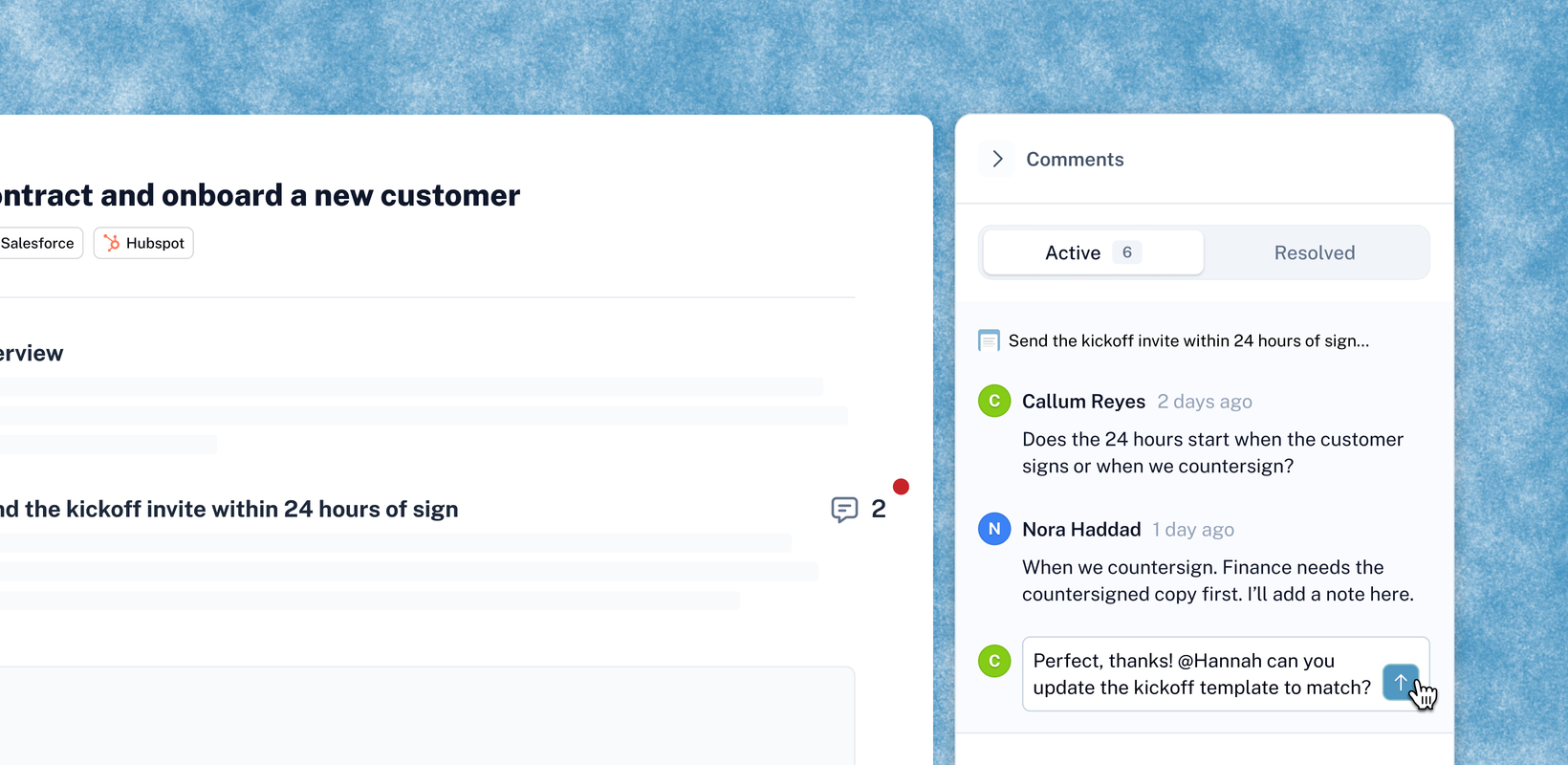
Collaborate on Pages with comments
What's new
Pages turn a group of Scribes into an end-to-end playbook, and the best playbooks get better when the whole team helps shape them. Now anyone on your team can comment on any block of a Page, including paragraphs, headers, tables, and callouts. Ask a question, share a suggestion, or tag a teammate, and keep the conversation right where the content lives.
Comments on Pages work the same way as comments on Scribes, so your team can collaborate the same way everywhere.
How does it work?
Comment on any block. Select a section of your Page to start a thread. You can also leave a comment on the whole Page at the bottom.
Bring in your team. @mention a teammate by name or email, including people with a pending invite. Page owners get notified of every new comment, and anyone you mention gets an email and in-app notification.
Reply in the thread. Replies show up in order, so everyone can follow along and add what they know.
Close the loop. Editors update the content, reply, and resolve the comment, and the person who raised it gets notified. Resolved comments move to a Resolved tab and can be reopened anytime.
See it all in one place. Owners and editors can review every comment in the comment side panel. Viewers see a floating comment icon when comments are on.
FAQ
Q. Who can see and leave comments?
A. People with edit access to a Page can always see comments. Viewers can see and leave comments when comments are turned on for that Page.
Q. Can I turn off comments?
A. Yes. The Page creator can turn comments off for that Page. Admins can set the default for the whole org in settings.
Q. Who gets notified about comments?
A. Page owners are notified of every new comment, and anyone you @mention gets a notification. People tagged earlier in a thread are notified of new replies.
Q. Can I edit or delete a comment?
A. You can edit or delete your own comments. Page owners and editors can delete any comment.