- DATE:
- AUTHOR:
- The Scribe team
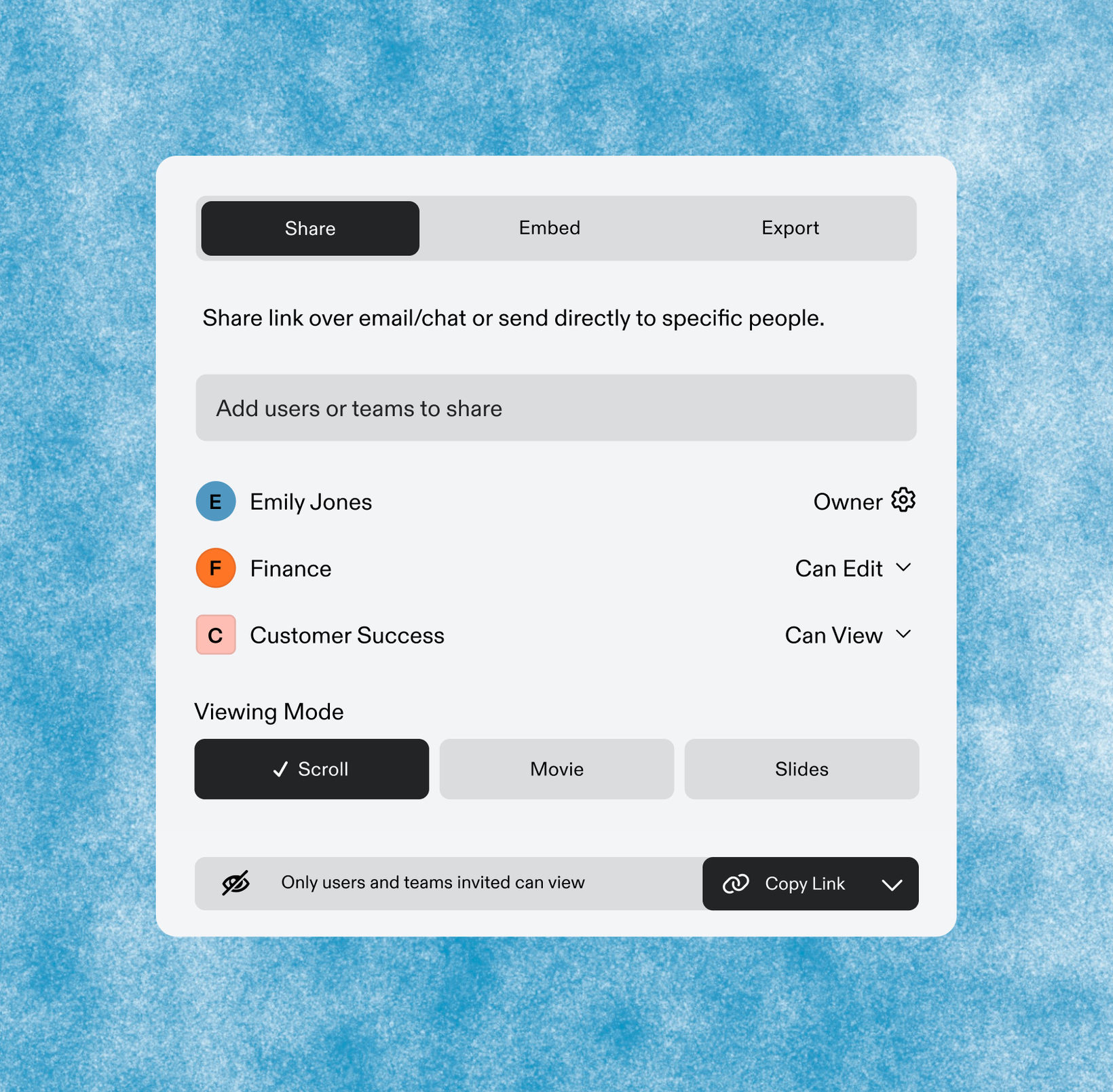
Share your Scribes across multiple teams
What's new?
You can now share a single Scribe or Page with multiple specific teams, so all your cross-functional partners can work off of the same source of truth. Shared documents appear in each team's workspace, so the right people can find them without opening them up to everyone in the organization. Available on Hub, Grid, and Global plans.
How does it work?
In the Share dialog, switch to the Teams tab. Type a team name, select the teams you want to share with, and you're done. There's no limit to how many teams you can add. Each team gets access at the permission level you set, and the document shows up in their Shared folder automatically.
FAQs
Which plans have access? Multi-team sharing is available on Hub, Grid, and Global plans.
Does this work for Pages too, or only Scribes? Both Scribes and Pages support multi-team sharing.
If I share with a second team later, does the first team get notified again? No. Only the newly added team receives a notification. Existing teams aren't re-pinged.
Can a user in multiple teams see the same document twice? No. Even if someone belongs to several teams that all have access, they'll only see the document once in search, Sidekick, and their workspace.
Is there a limit to how many teams I can share with? No product limit.
What happened to the old workaround of duplicating docs into each team? You don't need it anymore. One document, shared with as many teams as you need.