- DATE:
- AUTHOR:
- The Scribe team
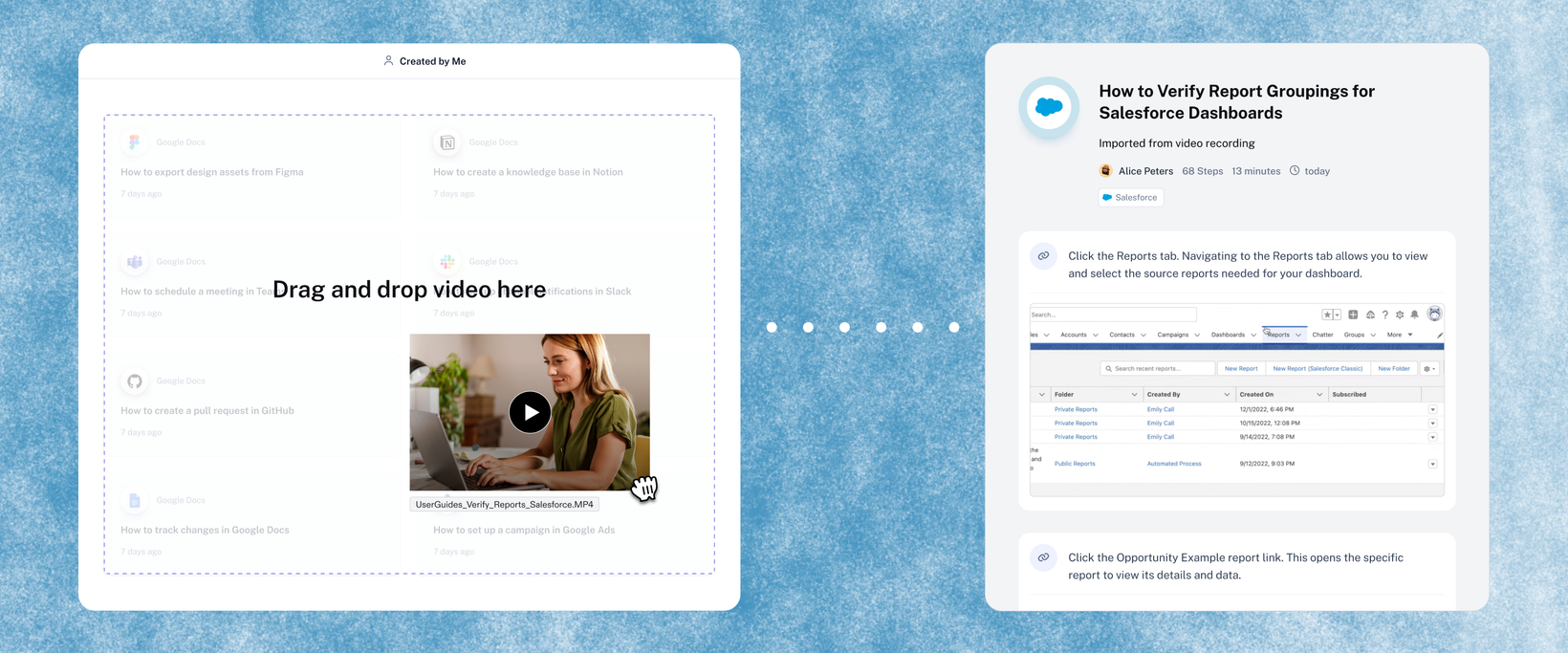
Turn any video into a Scribe
What's new?
Upload your existing videos (screen recordings, training sessions, Looms, etc.) and Scribe automatically generates step-by-step documentation from it.
How does it work?
Click "Import" when creating a new Scribe, drag and drop your file, and watch it be transformed into a step-by-step guide.
FAQs
What kinds of videos work best? How-to screen recordings, such as software walkthroughs, process demos, anything where someone is clicking through a workflow. The better the recording, the better the output.
What file formats and sizes are supported? mp4, mov, webm, and mkv. Max 30 minutes and 500 MB per video.
Do I need to narrate the video for it to work? No. Scribe analyzes the visuals, so narration isn't required (though it can help with step descriptions).
What if a step isn't right? You can adjust any step after import. Edit the description, or scrub to a better frame and update the screenshot.
Where do I find Video Import? In the same place as document Import. Click the import option from your dashboard and select a video file.